Graph and Live Views
Every view here updates live while it’s open, and stops watching when you leave it.
Graph (g)
For Kustomizations, HelmReleases, ResourceSets, FluxInstances, and ArtifactGenerators: the sources upstream and everything the resource manages downstream. Managed objects are grouped: Flux resources a ResourceSet produces appear as their own nodes, workloads gather in a workload group, and everything else in a resource group counted by kind.
j/kmove the focus between nodes; the view follows it.Enteropens the focused node;y/dshow its YAML / describe output.Escreturns to the graph from anything you opened there.
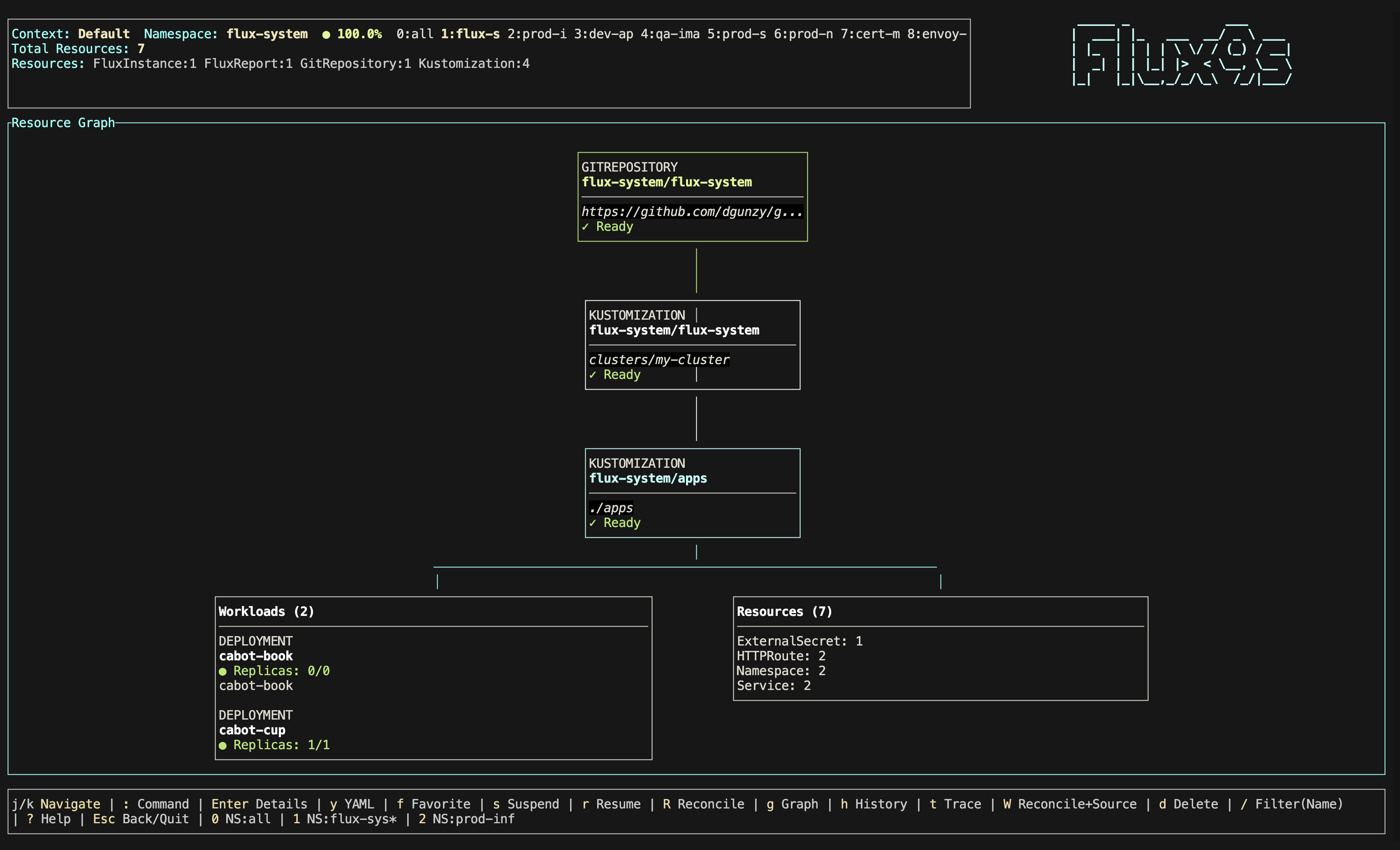
Workloads
Enter on a workload group lists its Deployments, StatefulSets, and
DaemonSets, with live readiness. Enter on one opens its workload detail:
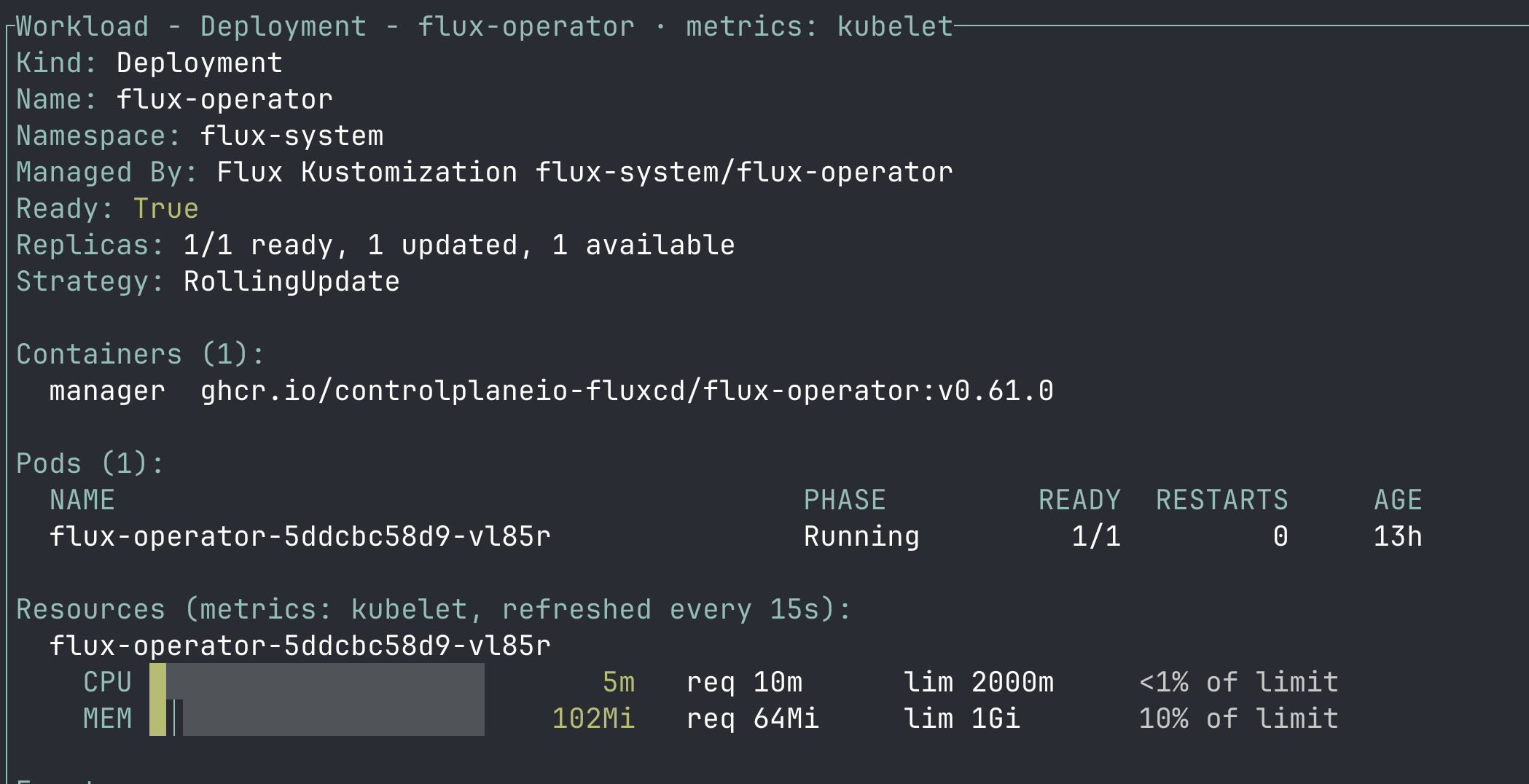
- rollout status, containers and images, pods with restarts, and events
- Resources: each pod’s CPU and memory next to its request and limit, with a bar against the limit that turns amber at 75% and red at 90% (throttling / OOM risk). The source (kubelet, metrics-server, or requests only) is detected automatically — see Pod usage metrics.
lstreams a pod’s logs (a picker opens when there are several),rrolls out a restart,Ctrl+ddeletes a pod so its controller replaces it. Restarts and deletes ask first.
Inventory
Enter on a resource group lists every object it holds with live
kstatus
health: Current, InProgress, Failed, Terminating, or NotFound /
Forbidden when it can’t be read, with a message for anything short of
Current. Enter / d describes an object, y shows its YAML (Secret
values always redacted).
Trace (t)
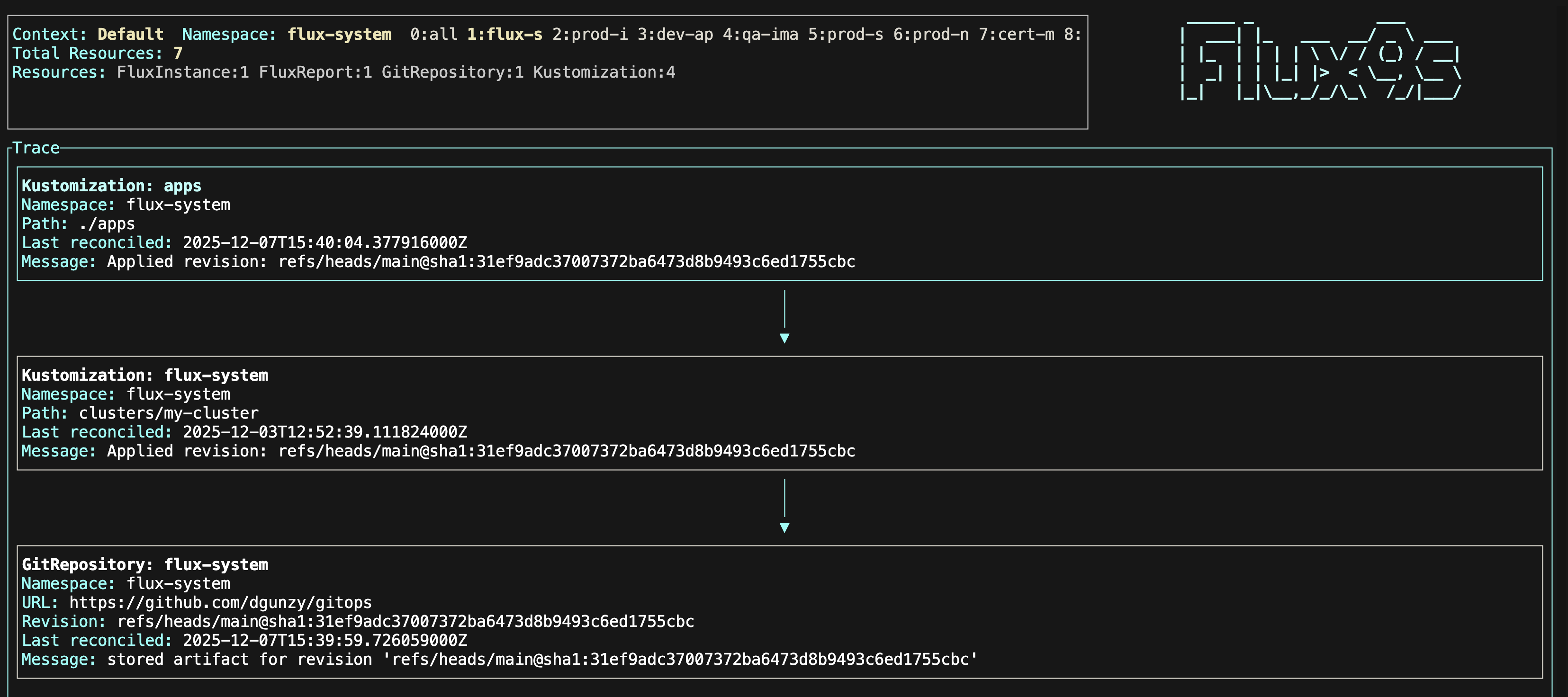
What manages a resource, step by step: its controller owners, the Flux object that applies it (Kustomization, HelmRelease, ResourceSet, or FluxInstance), and that object’s source.
t traces the selected resource; :trace <kind>/<name> traces one by name
in the current namespace (default when watching all namespaces):
- Flux kinds and aliases:
:trace ks/apps,:trace hr/podinfo - Exact Kubernetes kind names:
:trace Deployment/web - Plurals and short names (
:trace deploy/web,:trace sts/db) need native resources on
HelmRelease values (v)
The values Helm actually receives: every spec.valuesFrom ConfigMap and
Secret merged in order, then spec.values on top, exactly as helm-controller
builds them.
- Each source shows whether it was applied, skipped (optional and absent), or failed (missing, forbidden, invalid YAML); one failure doesn’t hide the rest.
targetPathfollows Helm--settyping.- Values from a Secret show as
<redacted>untilxreveals them. /searches, andRstill reconciles the release.
Events (:events)
A live feed of Kubernetes Events in the current namespace (or the whole
cluster after :ns all), newest first, Warnings highlighted. Flux emits an
event for every reconciliation, so this shows error detail the list’s
MESSAGE column truncates.
/filters by type, reason, object, namespace, source, or message.Enteropens the event’s object;y/dwork for any kind, and Flux keys (t,g,s,R, …) work when it’s a watched Flux resource.
Each resource’s describe view (d) also ends with its recent events.
Pulse (:pulse)
“Is my GitOps pipeline healthy?” at a glance: ready / failed / suspended totals per kind, the latest failures with their messages, Flux version and install status from the FluxReport, and controller pod health.
Controller logs (:logs)
Stream a Flux controller’s logs: :logs picks a pod, :logs <pod> streams
one by name or prefix. Scrolling up pauses following and G resumes it, /
searches, and c switches container (the default container comes from the
kubectl.kubernetes.io/default-container annotation, as kubectl logs
does).